Receipt Maker FAQ & Support
Open Receipt Templates, pick a style, and fill in the fields on that page. Choose Make Receipt. The preview updates with your details, and the page then offers a JPG and a PDF of that image.
Each template is different. The page for that template lists the fields it prints, such as a business name, date, items, tax, or a payment line. Some templates take a logo. Some print a list of items, and the line amount is quantity times price. Others print one amount. Read the guide on the template page before you rely on a total.
A receipt made while you are signed out includes a membership watermark. On a Standard template, a current Standard or PRO membership removes it. On a PRO template, a Standard membership still shows the watermark. A current PRO membership removes it.
Standard membership removes the watermark on Standard templates. PRO membership removes the watermark on Standard and PRO templates, so you can use the full set of styles. Prices and billing choices are on the signup page. You can review or cancel a web membership from your account.
Only when that template shows Add your logo. The logo prints in the space that template uses for a mark. If you skip the upload, the receipt uses its own heading, such as the business name you typed. A template with no logo control does not print an uploaded image.
No. After you enter receipt details, opening another template keeps those details and makes the receipt in the new style. A template you open with nothing entered still shows its sample.
After Make Receipt, use Download JPG or Download PDF. The PDF is that same image. On a phone, the MakeReceipt app can also send a receipt to a Bluetooth thermal printer.
Yes. The website works in a phone browser. The MakeReceipt app for iPhone and Android is linked further down this page.
No. You fill in a template. MakeReceipt does not issue the receipt for a store, a bank, a rideshare service, or any other company. Names and logos you add are yours to use.
Use Support in the page footer. For membership changes, sign in and open your account. That page is where you review the plan and cancel a web membership.
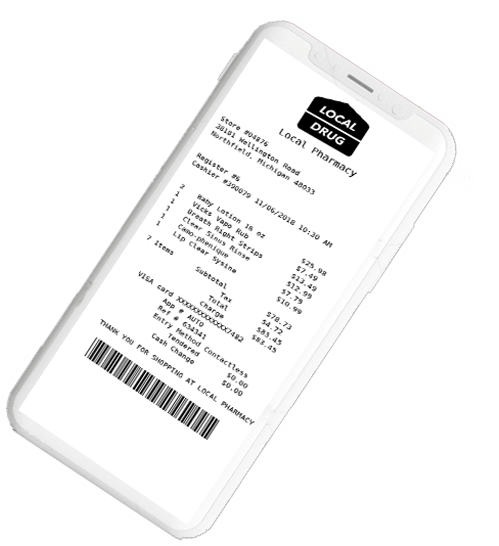
Create Receipts on Your Phone
MakeReceipt Mobile
Available for free for all MakeReceipt users. Make receipts anytime, anywhere. Supports Bluetooth thermal printers - print real receipts to thermal receipt paper!


Testimonials

Perfect for making receipts for my business. Works great when we are mobile and needing to create receipts for customers.
- Jeremy J.
San Francisco, CA

I was tired of losing receipts and not being able to expense them. This solved that problem quickly!
- Melinda D.
San Antonio, TX