Parking Lot Receipt Generator
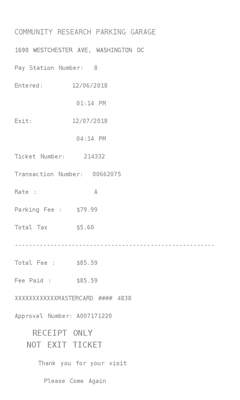
PRO templateA garage slip with the time you entered, the time you left, and a fee plus tax. The city is on the form and is not printed.
Enter Receipt Details
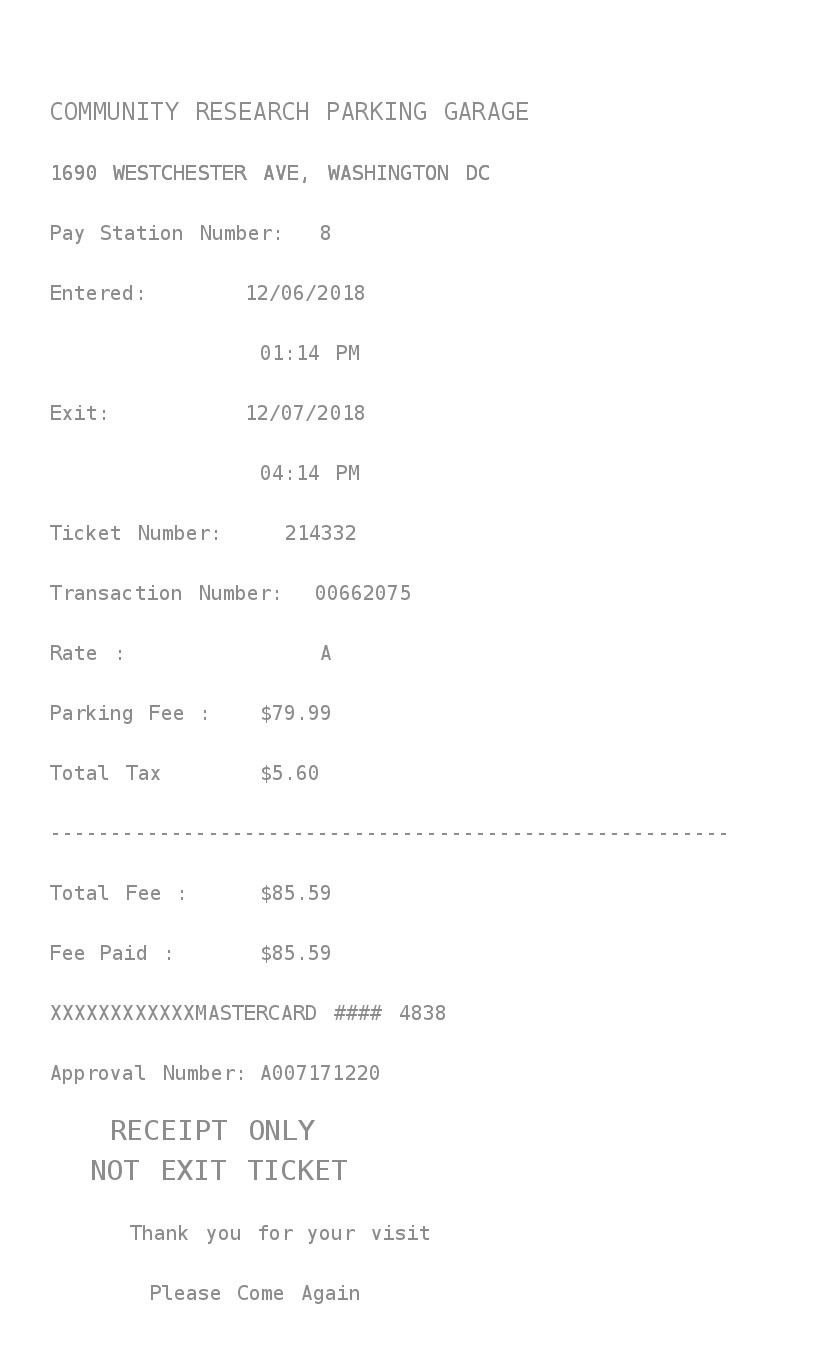
What information you can enter on this Parking Lot Receipt Generator template:
- Garage Garage name and street. City and state are on the form. This slip does not print them. Entry date, entry time, exit date, and exit time are separate fields.
- Money One amount, a currency symbol, a tax label and percent, and a payment line you type. The rate on the slip is always A. Five font styles sit above the fields.
How the sample is arranged
The sample is left aligned. The garage and street come first, then a pay-station number. Entered and exit each take a date and a time. A ticket number and a transaction number follow. Rate is A. Parking fee, tax, total fee, and fee paid come next, then the payment line and an approval number. The bottom says receipt only, not an exit ticket.
How the amounts are worked out
The parking fee is the amount you type. Choose No tax and the tax line is left off. Any other label adds that percent. Fee paid matches the total fee. Pay station, ticket, transaction, and approval numbers are filled in. Rate A, “Receipt only,” and “Not exit ticket” are fixed text.
How to make this receipt
- Enter the garage name and street, then the entry and exit date and time.
- Type the fee and a tax label and percent, or choose No tax.
- Type the payment line, then make the receipt and download the JPG or PDF.
Membership and download
This is a PRO template. Standard membership still shows the membership watermark. A current PRO membership removes it. After you make the receipt, the page offers a JPG download and a PDF of that same image.
Other templates
- Car Parking Garage Also entry and exit, and it calculates the stay in days, hours, and minutes. It does not add tax.
- Airport Park Receipt Entry, exit, and a duration, with change of 0.00. The total stays the amount you type.